Find a starting point.
Browse laser sources, materials, coatings, community settings, project downloads, and buying-guide reviews. Keep favorites for each collection.

THE LASER EVERYTHING DESKTOP APP
Less hunting for that setting. More making something great.
Explore the community library, organize your rigs, and keep your LightBurn settings, notes, and project files together. Now in a free desktop app built for your workbench.
Get Laser EverythingWindows & Linux · Mac tester preview · Free download · No account required to get started
WORKSHOP / READY
FROM THE DATABASE TO YOUR DESKTOP
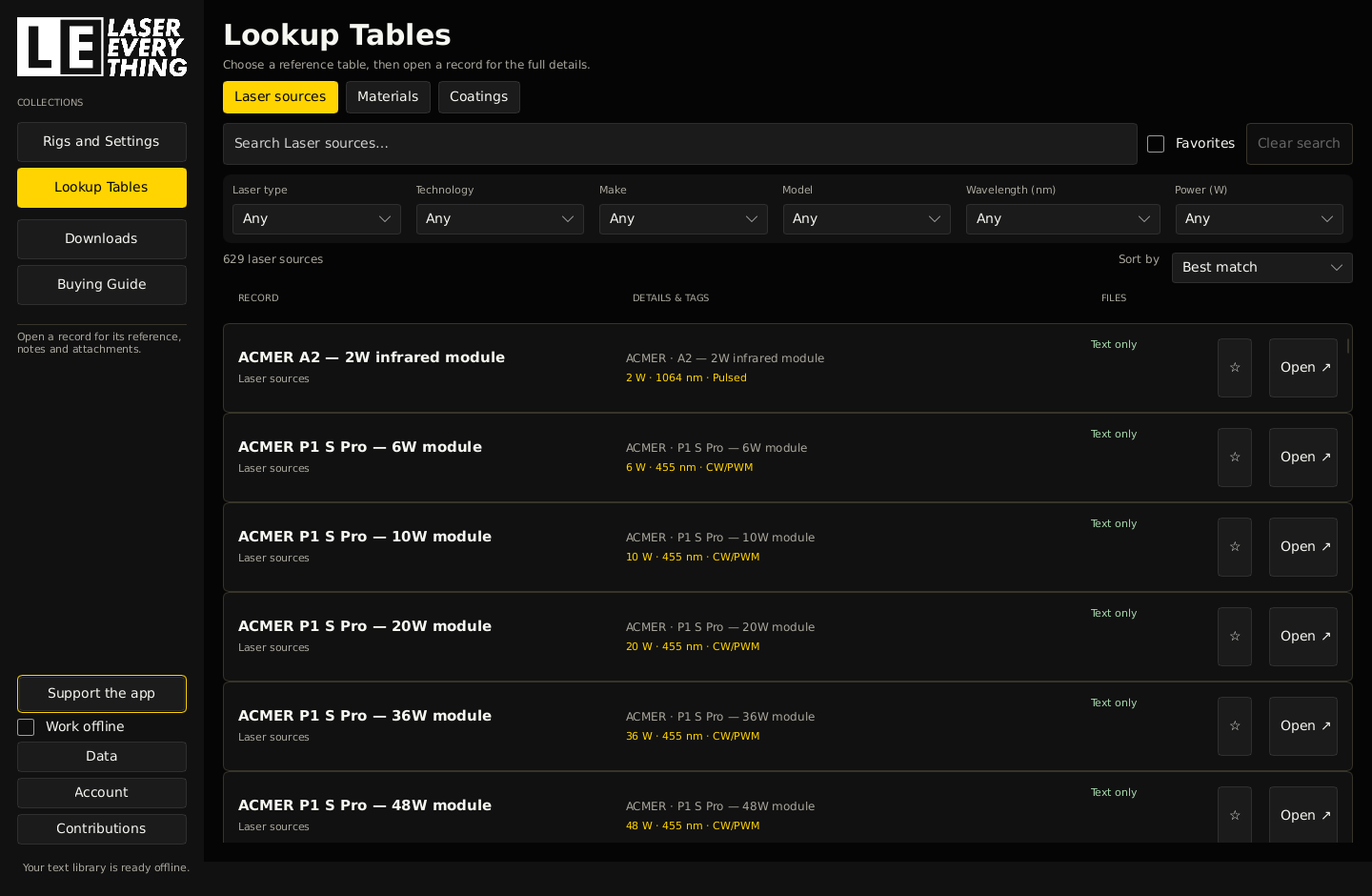
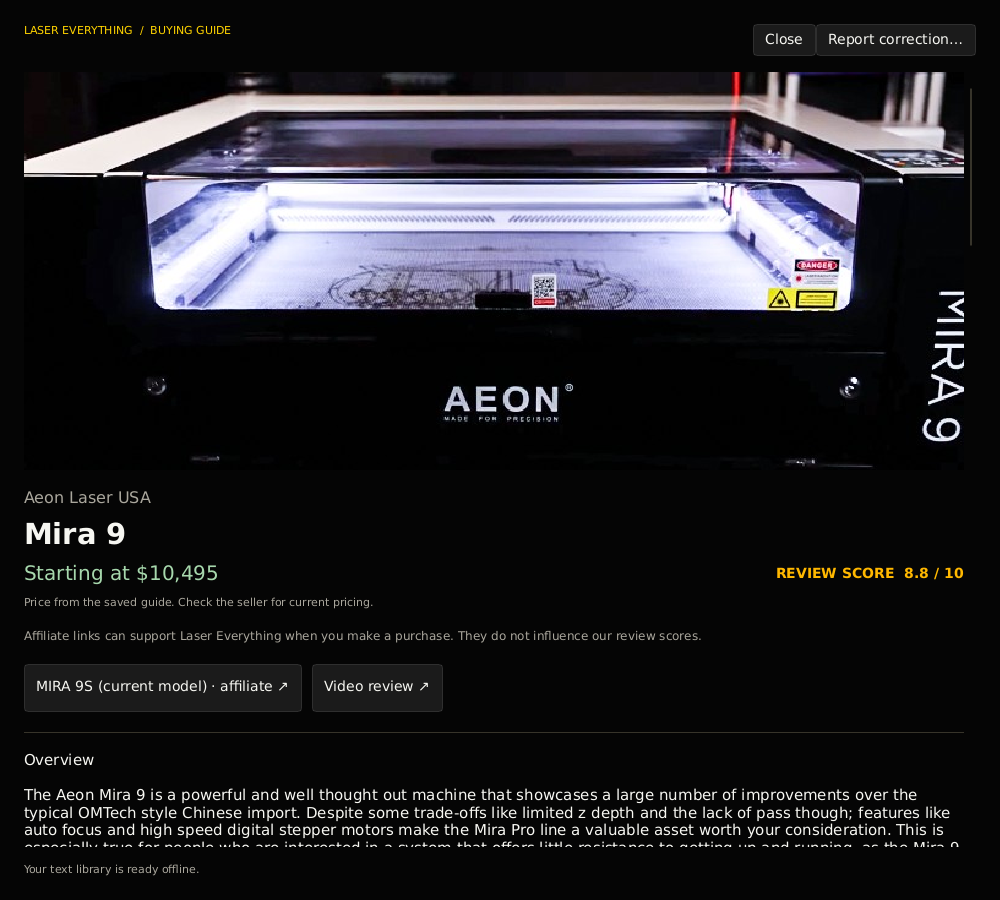
Browse laser sources, materials, coatings, community settings, project downloads, and buying-guide reviews. Keep favorites for each collection.
Bring in a LightBurn bundle or CLB library. Match settings to your rigs, including machines with fixed optics. Keep your own notes and supporting files.
Sign in when you're ready to submit a setting or project, follow its review, or maintain a contribution. Registration and account management happen in the app.
Community settings are starting points, not safety guarantees. Check material hazards, machine compatibility, ventilation, and your own test results before running a job.
READY WHEN YOU ARE
Laser Everything 0.2.10 · Windows & Linux include signed automatic updates
New: community results and corrections, reviewed project updates, clearer setting comparisons, and optional scheduled backups.
Free, thanks to our supporters. Visit Support the app for Laser Master Academy, Patreon and Ko-fi. Every app feature remains free.
Windows 10 or 11, 64-bit. Extract the ZIP to a writable folder, then launch the app.
Download for WindowsPortable ZIP · 26.6 MiB
Debian 12+, Ubuntu 24.04+, or another desktop with glibc 2.36+. X11 or XWayland.
Download for LinuxTAR.GZ archive · 27.0 MiB
The Windows executable is unsigned and may show a reputation warning. Windows & Linux installation notes · Windows & Linux checksums
Laser Everything 0.2.10 · Universal app for Intel and Apple Silicon. Built to target macOS 12.0 or newer; compatibility still needs tester confirmation.
Unsigned and not notarized. This preview has no Apple Developer ID signature. Expect a macOS security warning.
Not yet tested on a real Mac. Startup and Mac-specific features may have issues. Please back up your library and include your Mac model, macOS version and any error message when reporting problems.
Only if you trust this download, follow Apple's instructions for Open Anyway after trying to open it. Do not disable Gatekeeper or bypass a malware or damaged-app warning.
Manual app updates for now. Quit the app and replace only the .app for a new version. Keep your Application Support data.
Universal ZIP · 47.5 MiB · Unzip and drag the app to Applications.
STILL HERE IN YOUR BROWSER
The old database pages and remaining web toolkit are retired for now. These two tools stay available.
On Windows and Linux, the app checks for signed updates while online and downloads them in the background. A prepared update installs on the next launch; you can also choose Restart to update. Your local library is preserved, and automatic updates can be switched off under Data > Updates. Users of the original 0.2.0 build need to install this release manually once.
The Mac tester preview needs manual application updates. Quit the app and replace only the .app with the newer download; keep your Application Support data. Catalog and image downloads are separate from application updates.
No. You can browse the library, work with local settings and files, and use the workshop without an account. Sign in or register in the app to submit and maintain online contributions.
Yes. Existing Laser Everything accounts have moved with the database. Sign in with your email and password. If you need a new password, use account recovery in the app and look for an email from noreply@lasereverything.net.
The app includes the public text catalog. Your local libraries, notes, and downloaded files remain available offline. Checking for new community content, downloading new files, and account actions need a connection. Photos can be downloaded separately in setup.
No. Laser Everything helps you organize and work with settings and reference material. It does not run your machine or replace its control software.