Fiber settings
Walnut
Shared by [LE] Alex
Community settings are starting points, not safety guarantees. Confirm units, material hazards, machine compatibility and your own test results before use.
Material and process
- Material
- Walnut
- Coating
- None
- Thickness
- Not recorded
- Revision
- 2
Published rig
- Source manufacturer
- JPT
- Source model
- YDFLP-80-M7-M-R
- Laser type
- Fiber
- Power
- 80 W
- Wavelength
- 1064 nm
- Optics
- scan
- Lens manufacturer
- Not recorded
- Lens model
- Not recorded
- Focal length
- Not recorded
- Field size
- 300 × 300 mm
Fill 1
- Air
- No
- Auto
- No
- Pass
- 2
- Type
- bi
- Angle
- 45
- Cross
- Yes
- Flood
- No
- Power
- 25
- Pulse
- 200
- Speed
- 130
- Interval
- 0.25
- Fill name
- Walnut Marking
- Frequency
- 150
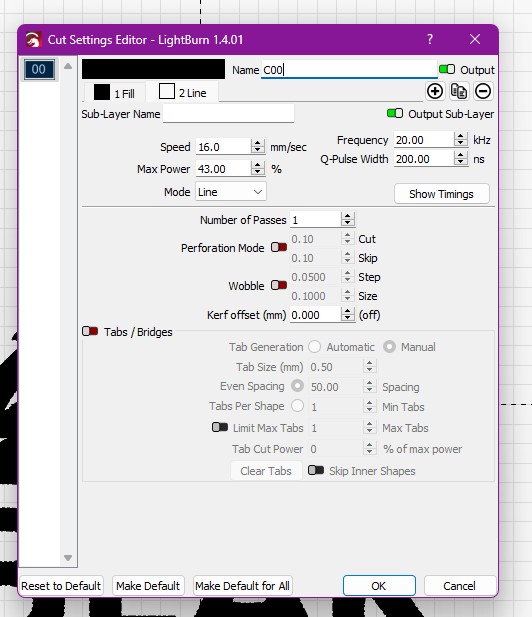
Line 1
- Air
- No
- Name
- Contrast Outline
- Pass
- 1
- Power
- 43
- Pulse
- 200
- Speed
- 16
- Frequency
- 20
Repeat All
- Recorded value
- 1
Material Color
- Name
- Brown
- Colors
- #2C1800
Focus Offset Raw
- Recorded value
- 0
Material Opacity
- Opacity
- Opaque
Notes
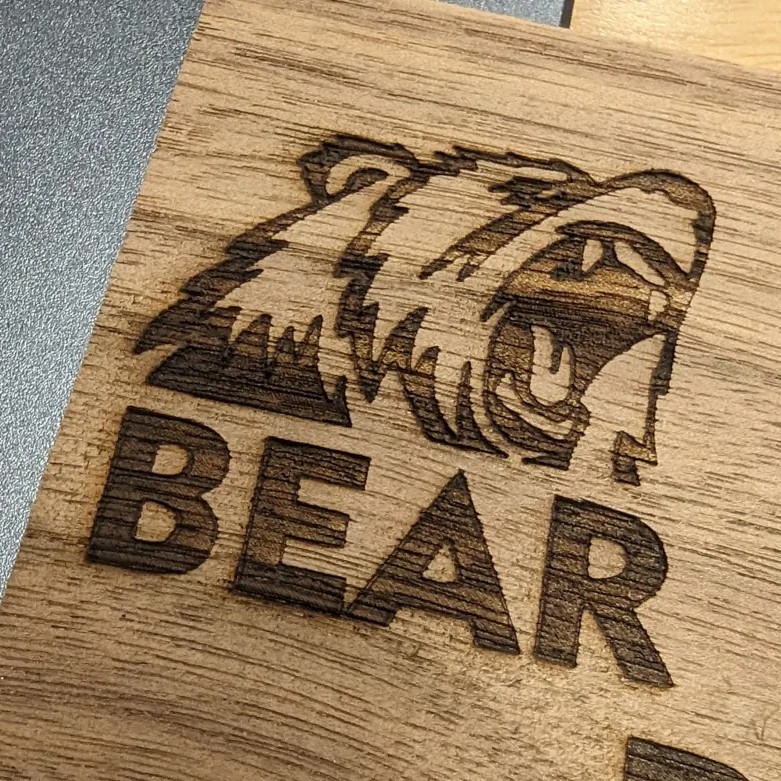
This setting includes parameters for Fill 1 and Line Run Fill 1, then run Line for a nice contrasting edge. The line parameter can be added as a sub-layer to the fill in LightBurn. I didn't use an air assist for this but if you have one you probably should.
Use this setting in your workshop
Build a rig, inspect compatibility, edit libraries and export settings in the free desktop app.
Get the desktop appImages